Import anything
URL, text, or photo
AI pulls ingredients and steps from a link, pasted text, or a photo in seconds.
Cook · Plan · Shop
Chef Buddy brings recipe import, AI meal planning, shopping lists, and hands-free Cook Mode into one warm app for iPhone and iPad — so the whole household always knows what is for dinner.
Import anything
AI pulls ingredients and steps from a link, pasted text, or a photo in seconds.
Cook hands-free
Step-by-step cooking with per-step ingredients and AI-suggested timers.
Plan the week
Generate a preference-aware plan, preview it, then autofill the calendar.
Shop in sync
Plans roll up into a shopping list that stays current across every device.
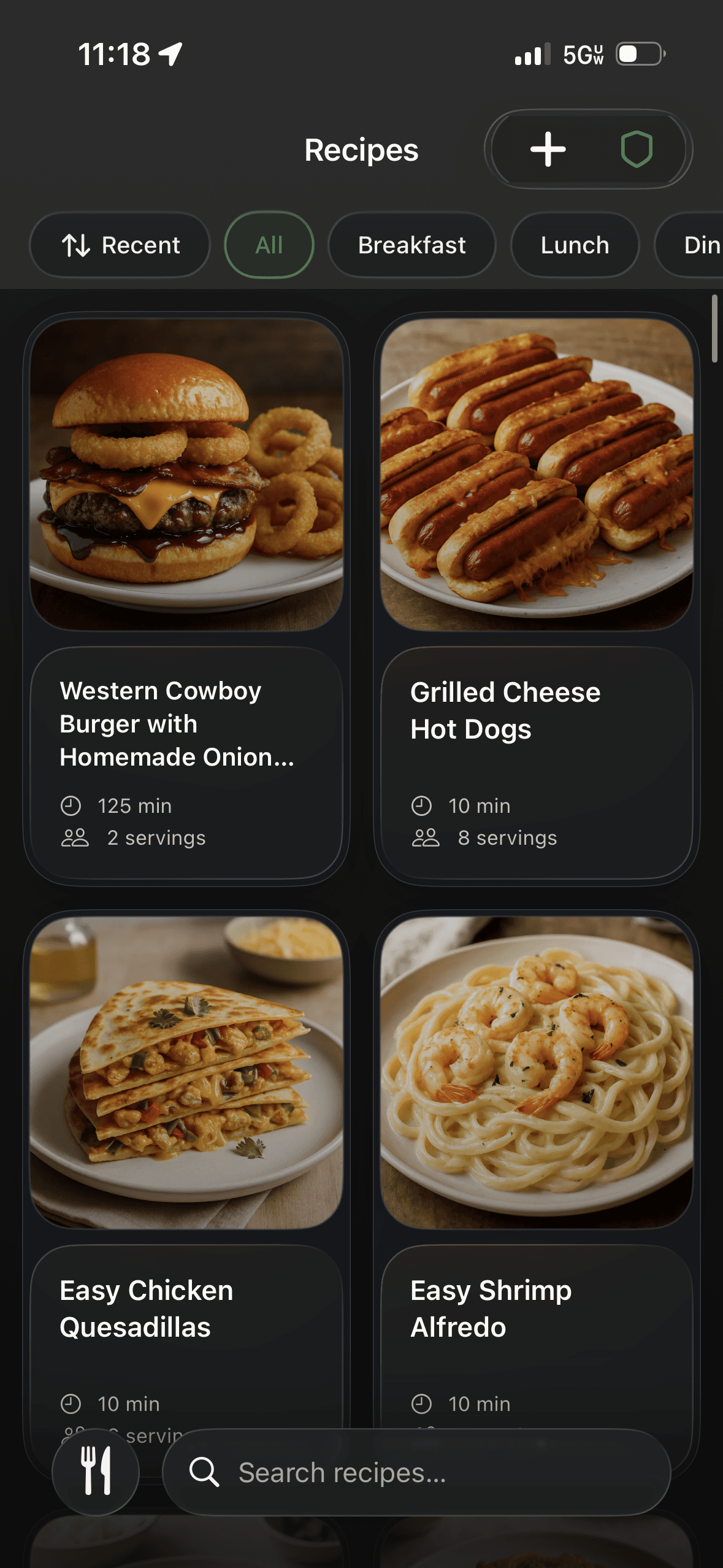
Recipe Library & Import
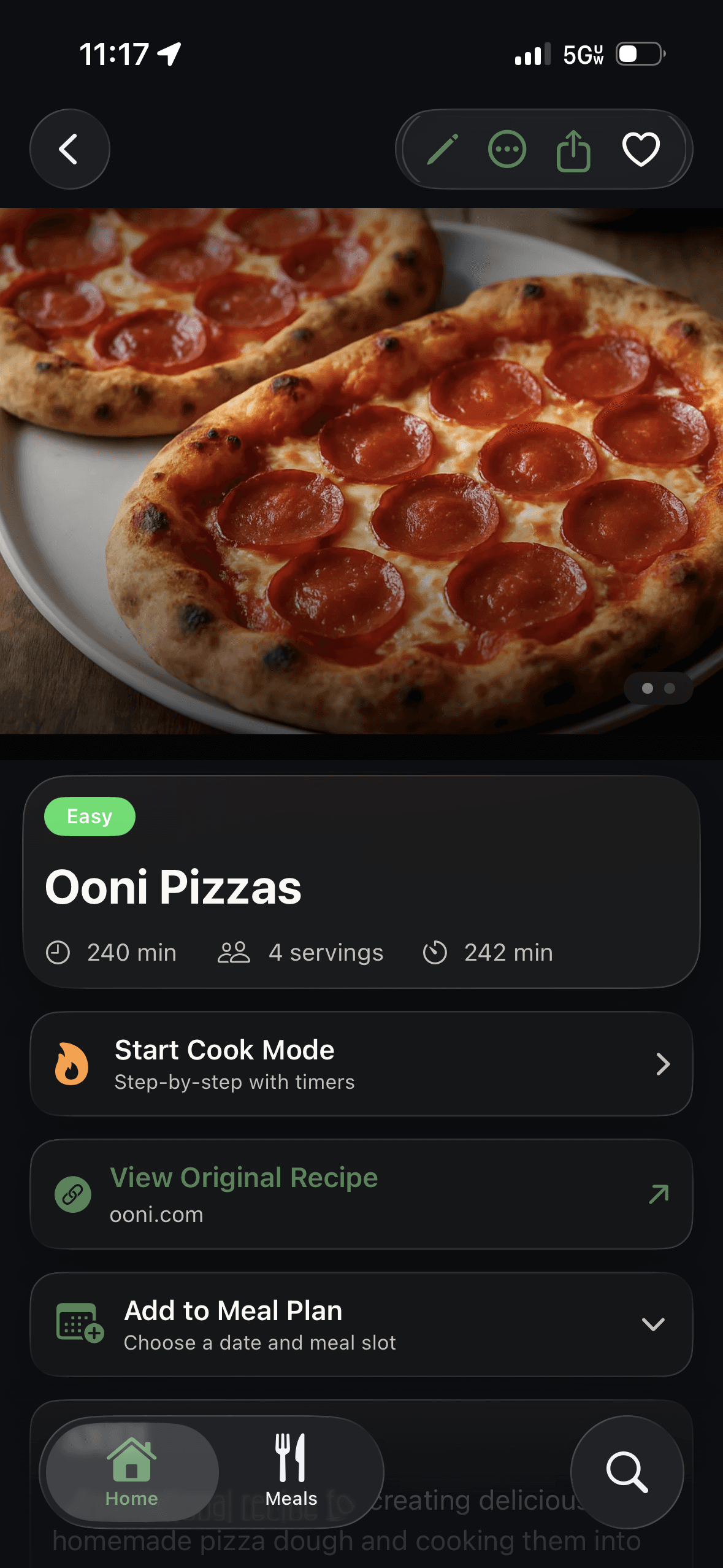
Paste a link, drop in some text, or snap a photo — Chef Buddy's AI pulls the ingredients and steps into a clean, consistent recipe card. No more scattered bookmarks, screenshots, and back-of-the-envelope notes.
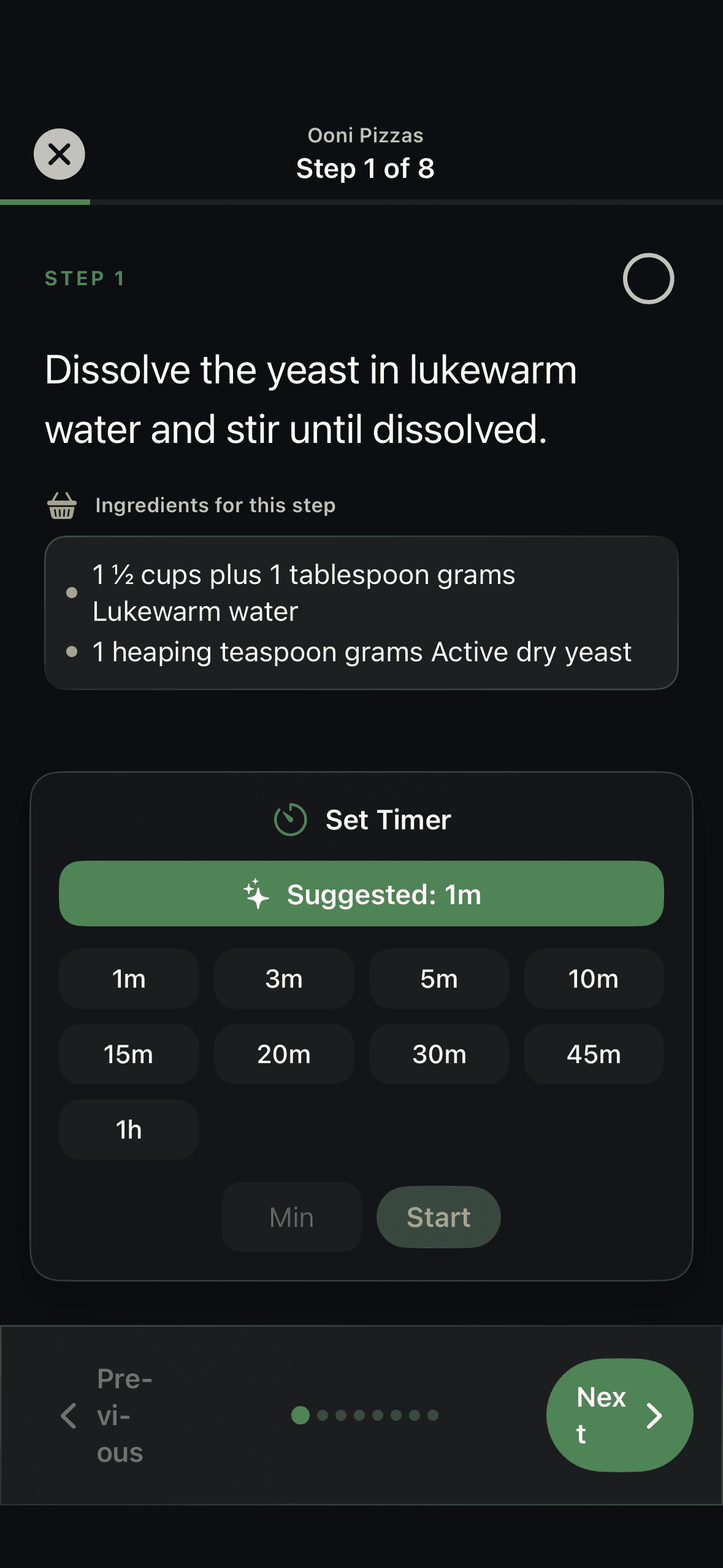
Cook Mode
Start Cook Mode and Chef Buddy walks you through the recipe one step at a time, showing only the ingredients that step needs and offering an AI-suggested timer right when you reach it.
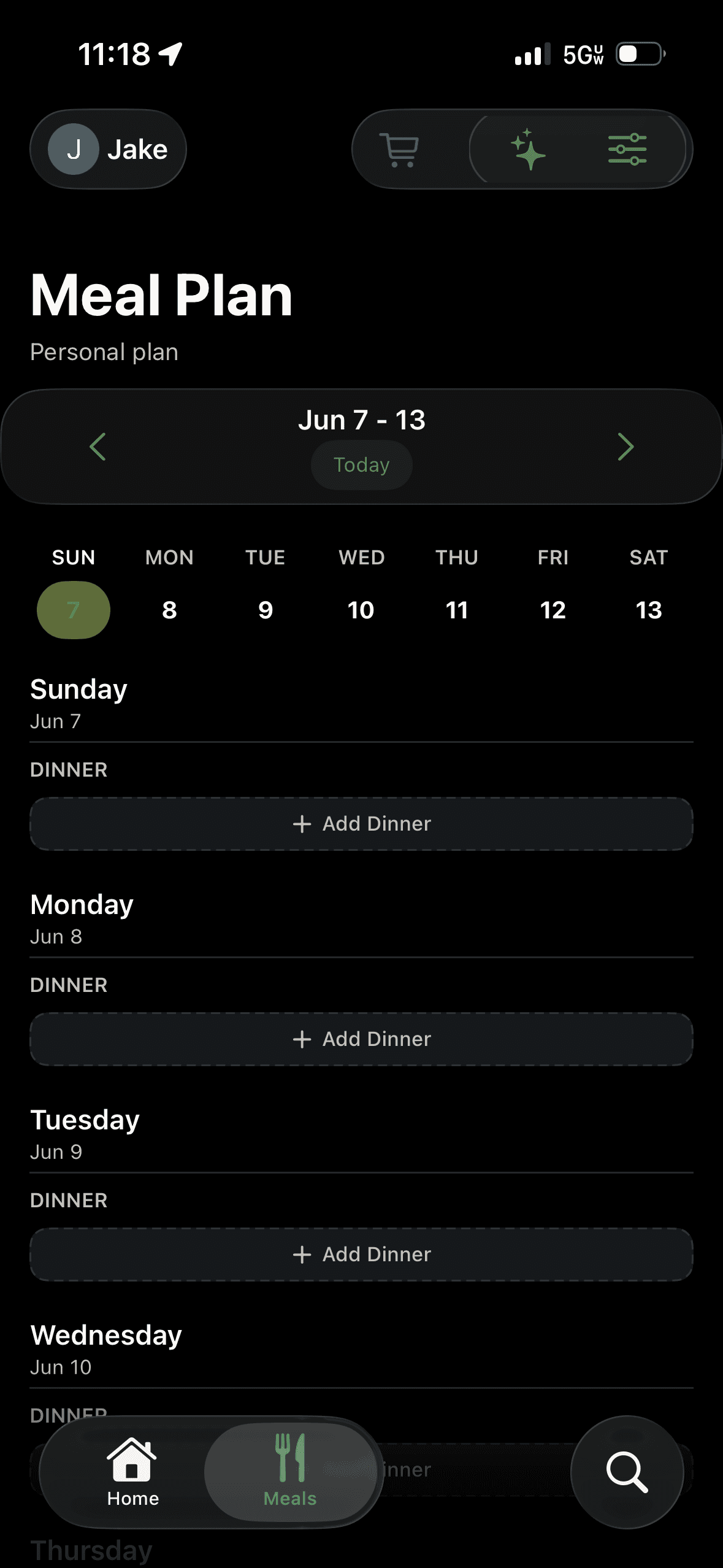
AI Meal Planning
Map the week on a shared calendar, or let AI suggest meals from your library based on your preferences. Preview the draft, save or autofill it, then turn the plan into a shopping list that stays in sync across every device.
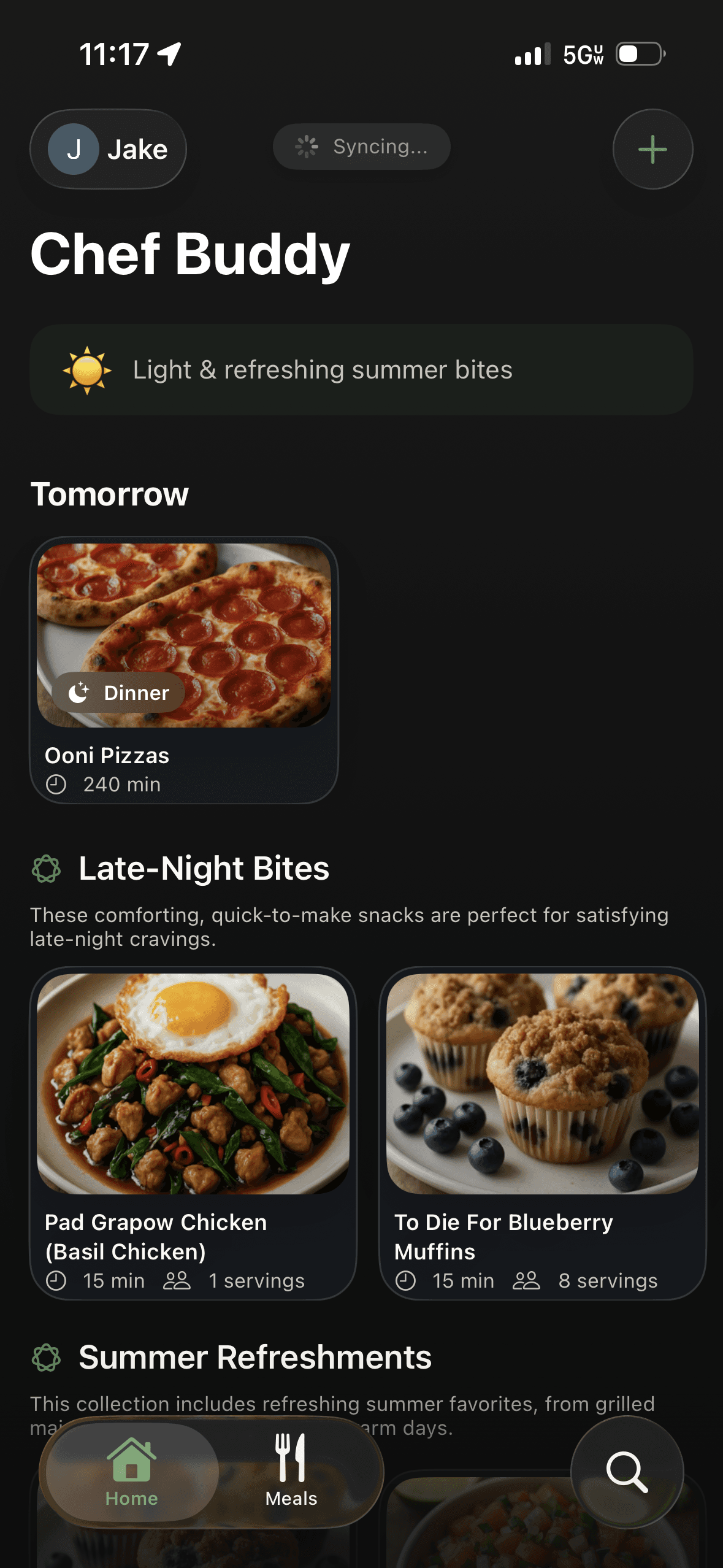
Home & Discover
The home screen greets you by name and surfaces what is planned next alongside AI-curated collections and seasonal ideas — so inspiration and your real plan live in the same place.
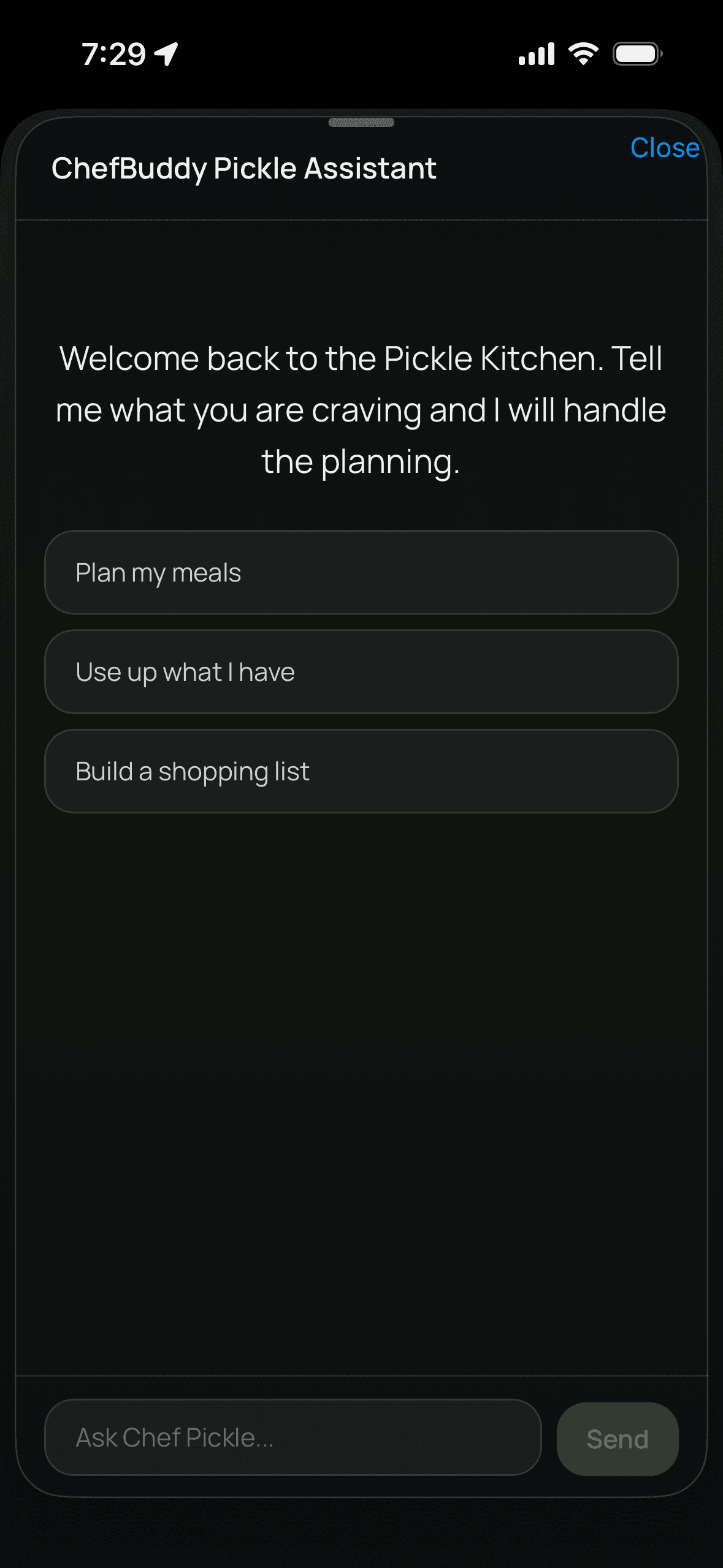
Chef Pickle · AI Assistant
Chef Pickle is Chef Buddy's built-in assistant. Ask what to make tonight, swap an ingredient you're out of, or get unstuck mid-recipe — it answers with your household, preferences, and meal plan already in mind.
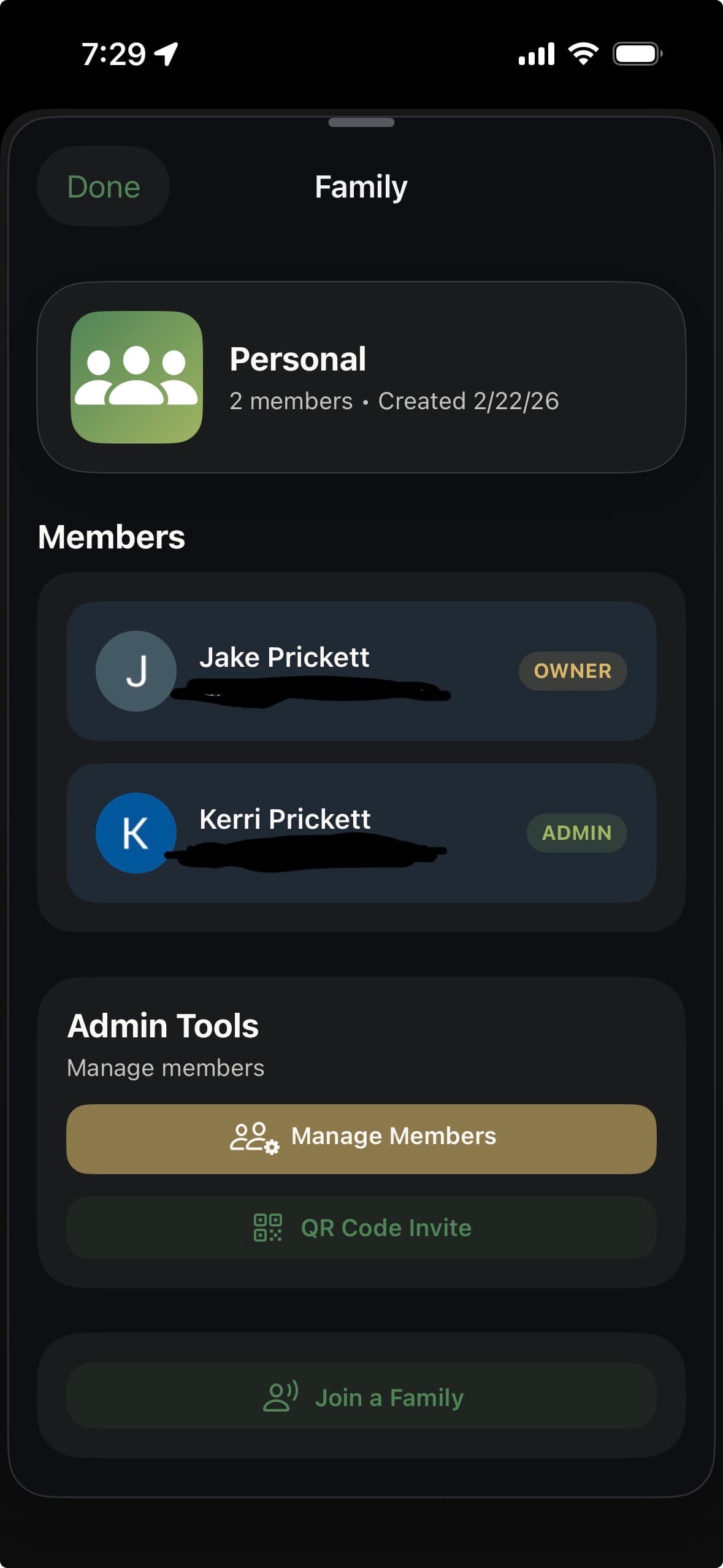
Household Sharing
Chef Buddy starts with your personal kitchen and grows into a shared household. Invite the people you cook with, and your recipes, weekly plan, and shopping list stay in sync for everyone.
Claude & ChatGPT
Connect your account and ask about your recipes, meal plan, and household right in the chat. The assistant can save recipes, plan meals, and build grocery lists, and it never deletes a recipe or a planned meal.
How It Works
Paste a link, drop in text, or snap a photo. Chef Buddy’s AI extracts the ingredients and steps into a clean recipe card — or save straight from Safari with the iOS share sheet.
Drop recipes onto a shared weekly calendar, or let AI suggest meals from your library. Preview the draft, then save it or autofill the week in a tap.
Your plan rolls up into a single shopping list that stays current across iPhone and iPad, so anyone in the household can grab what’s needed.
Step-by-step guidance shows only the ingredients each step needs and offers an AI-suggested timer right when you reach it.
Invite family by QR code or Nearby and share one recipe library, meal plan, and shopping list — with Chef Pickle, your AI assistant, on hand the whole way.
One calm flow
Import a recipe, drop it into the week, roll the ingredients into your shopping list, then cook it hands-free with Cook Mode — with Chef Pickle on call and your whole household sharing the same plan. Every handoff is connected, so everyone stays on the same page even when things change.
Built for iOS
A native SwiftUI app with a share extension, adaptive iPad layouts, and full VoiceOver and Dynamic Type support.
Day & night
A warm, considered design that looks right whether you cook at noon or after the kids are in bed.
Private Beta
Chef Buddy is in private beta for iPhone and iPad today. Join the TestFlight group to cook, plan, and shop with it — and help shape what comes next.